Sona Systems
1 Linking to REDCap
You can add parameters to REDCap links to automatically grant extra credit to SONA participants after they complete a survey. To do so, you’ll need to add &sona_id=%SURVEY_CODE% parameter to the link to the questionnaires in SONA. The full link should look like this: https://redcap.icts.uiowa.edu/redcap/surveys/?s=xxxx&sona_id=%SURVEY_CODE%&src=sona with the xxxx swapped out for the REDCap survey URL. You can find the REDCap survey URL in REDCap. This video shows were to put the link in SONA:
You’ll also need to add these two fields to the landing page of your REDCap questionnaire if they aren’t already there:
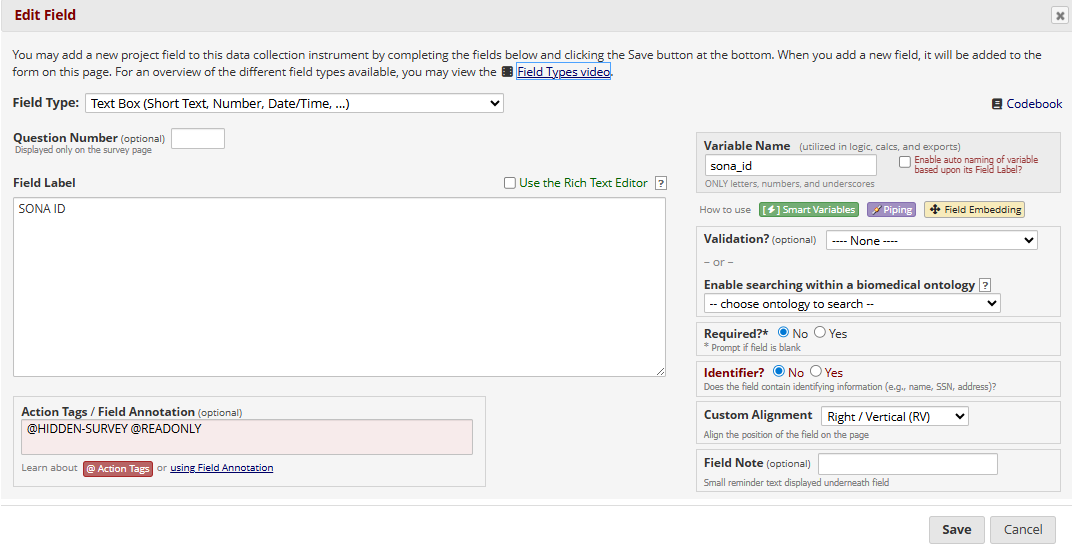
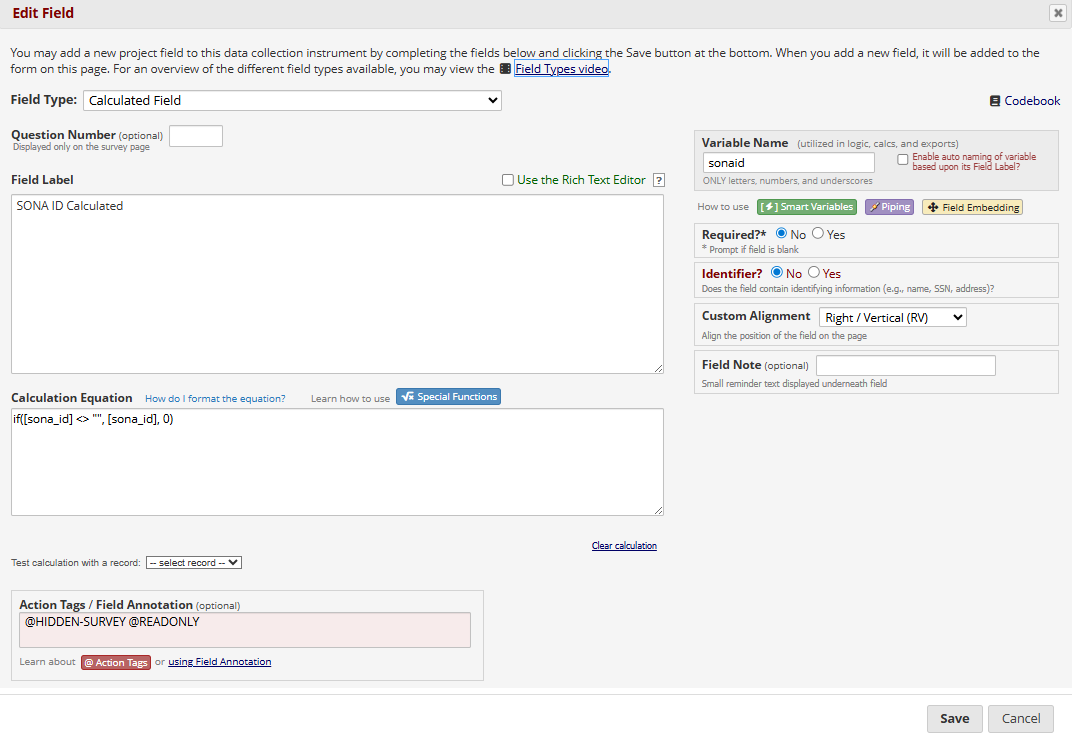
2 Linking to cognitive tasks
You can also link from LAMP server tasks to SONA, but this is more complex. You’ll need to redirect the participant to the cognitive tasks and pipe the SONA parameters. It’s easiest to put these at the end, after they finish the questionnaires. This video shows where to put the link:
Please do note that the link in the screen recording contains the parameters &subid=[subid]&sonaid=[sonaid]. This is how you pipe the SONA ID back to SONA to award credit, and uses the two fields created in those screenshots above. Last but not least, you’ll need to alter the task script with your local SONA experiment ID, credit token, and the SONA ID parameter. This video shows how to do this: